[Javascript] bind()
What does bind() do?
- It binds a function to an object.
- It allows you to reference the object using the keyword
this.
Without bind()
Here is an Object literal obj, which holds two properties, and a function printProperties, which prints the values of the keys a and b.
const obj = {
  a: 1,
  b: 2
};

function printProperties () {
   console.log(`${this.a} , ${this.b}`);
}
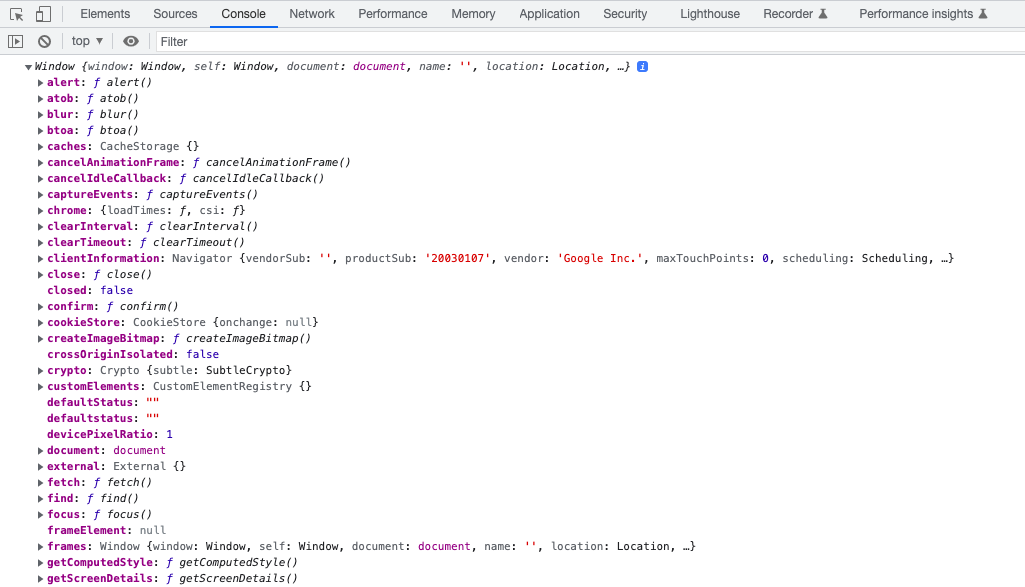
However, since the printProperties is not bound to any specific object yet, it is bound to the Window object. Attempting to call printProperties will result in the console logging undefined , undefined.
printProperties(); // undefined , undefined
The fact that printProperties is bound to the Window object can be demonstrated by redefining printProperties so that it logs this:
function printProperties () {
  console.log(this);
}
printProperties();
Here is a screenshot of the result:
How to use bind()
Since bind() returns a "copy of the given function with the specified this value", it must be stored in a variable in order to be invoked properly.obj can be bound to printProperties as such:
// General Form: function_name.bind(object_name)
const boundPrintProperties = printProperties.bind(obj);
With bind()
Now that the function printProperties is bound to obj, calling it will correctly print the intended values:
boundPrintProperties(); // 1 , 2
We can even bind printProperties to other objects.
Suppose we have another object named newObj. We can bind newObj with printProperties by using the bind method, then call it.
const newObj = {
  a: 3,
  b: 4
};

const newBoundPrintProperties = printProperties.bind(newObj);

newBoundPrintProperties(); // 3 , 4
newBoundPrintProperties() correctly prints 3 , 4.
We can understand bind() as a method that "binds" a function to a specific object so that it can access the chosen object's methods and properties using the this keyword.